scale(1.09333)'%20gradientUnits='userSpaceOnUse'%20href='%23d'/%3e%3clinearGradient%20id='e'%20x1='67.733'%20x2='135.467'%20y1='0'%20y2='135.467'%20gradientUnits='userSpaceOnUse'%20href='%23b'/%3e%3cradialGradient%20id='i'%20cx='5'%20cy='67.733'%20r='67.733'%20fx='5'%20fy='67.733'%20gradientTransform='translate(-5)'%20gradientUnits='userSpaceOnUse'%20href='%23a'/%3e%3cradialGradient%20id='h'%20cx='5'%20cy='67.733'%20r='100'%20fx='5'%20fy='67.733'%20gradientTransform='translate(-4.642%204.856)scale(.92831)'%20gradientUnits='userSpaceOnUse'%20href='%23c'/%3e%3cclipPath%20id='f'%20clipPathUnits='userSpaceOnUse'%3e%3crect%20width='135.467'%20height='135.467'%20rx='27.781'%20ry='27.781'%20style='fill:url(%23e);fill-opacity:1;stroke:none;stroke-width:4.01383;stroke-miterlimit:2;paint-order:stroke%20fill%20markers'/%3e%3c/clipPath%3e%3c/defs%3e%3cg%20clip-path='url(%23f)'%3e%3crect%20width='135.467'%20height='135.467'%20rx='27.781'%20ry='27.781'%20style='fill:url(%23g);fill-opacity:1;stroke:none;stroke-width:4.01383;stroke-miterlimit:2;paint-order:stroke%20fill%20markers'/%3e%3crect%20width='158.75'%20height='39.688'%20x='29.104'%20y='67.733'%20rx='19.844'%20ry='19.844'%20style='fill:%23fdfdfc;fill-opacity:1;stroke:none;stroke-width:4.91276;stroke-miterlimit:2;stroke-opacity:.996078;paint-order:stroke%20fill%20markers'/%3e%3ccircle%20cy='67.733'%20r='101.071'%20style='fill:url(%23h);fill-opacity:.996078;stroke:none;stroke-width:3.71325;stroke-miterlimit:2;paint-order:stroke%20fill%20markers'/%3e%3cpath%20d='M0-5.556a73.29%2073.29%200%200%200-73.29%2073.29A73.29%2073.29%200%200%200%200%20141.022a73.29%2073.29%200%200%200%2061.614-33.602H48.948a19.8%2019.8%200%200%201-19.844-19.844%2019.8%2019.8%200%200%201%2019.844-19.844H73.29A73.29%2073.29%200%200%200%200-5.557'%20style='fill:url(%23i);fill-opacity:.996078;stroke:none;stroke-width:2.92214;stroke-miterlimit:2;paint-order:stroke%20fill%20markers'/%3e%3crect%20width='146.05'%20height='26.987'%20x='35.454'%20y='74.083'%20rx='13.494'%20ry='13.494'%20style='fill:url(%23j);stroke:none;stroke-width:4.91276;stroke-miterlimit:2;stroke-opacity:.996078;paint-order:stroke%20fill%20markers'/%3e%3c/g%3e%3c/svg%3e)
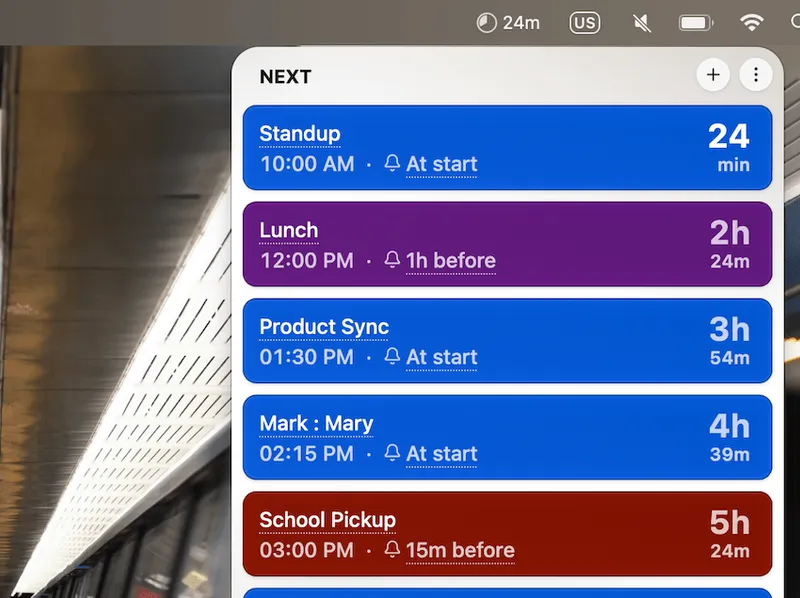
A track board that shows you what’s next.
The whole day stacked by time, color-coded by calendar. Glance at it once and you already know whether you can grab a coffee.
Mind the Gap puts your schedule on a departure board, then steps in with a big, hard-to-miss window right when the next thing is about to start.
The whole day stacked by time, color-coded by calendar. Glance at it once and you already know whether you can grab a coffee.
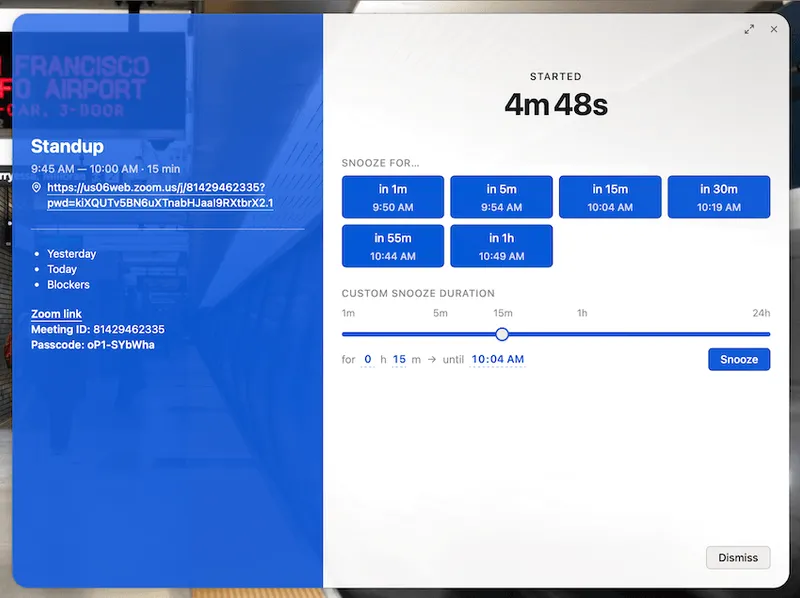
When the next thing is about to start, a calm but nearly full-screen arrival window takes over with a live countdown.
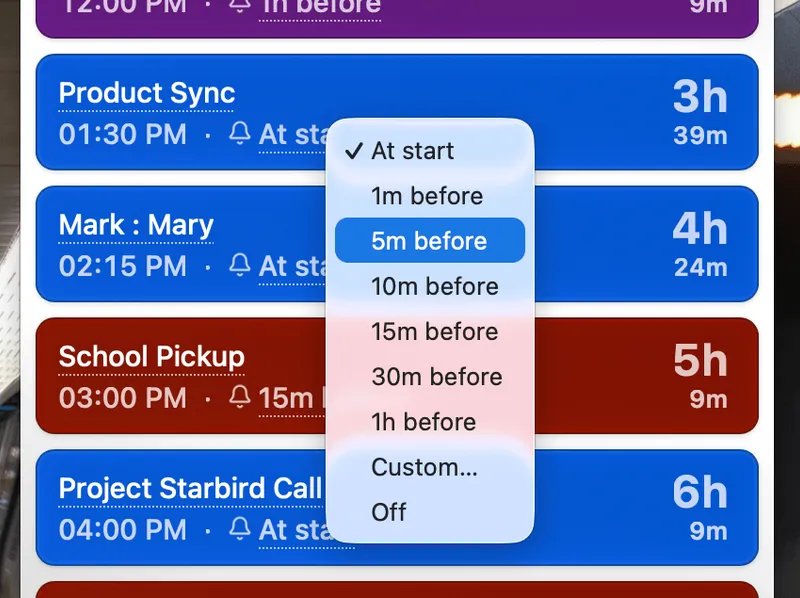
Change when you get notified for each event, so the reminder comes exactly when you need it.
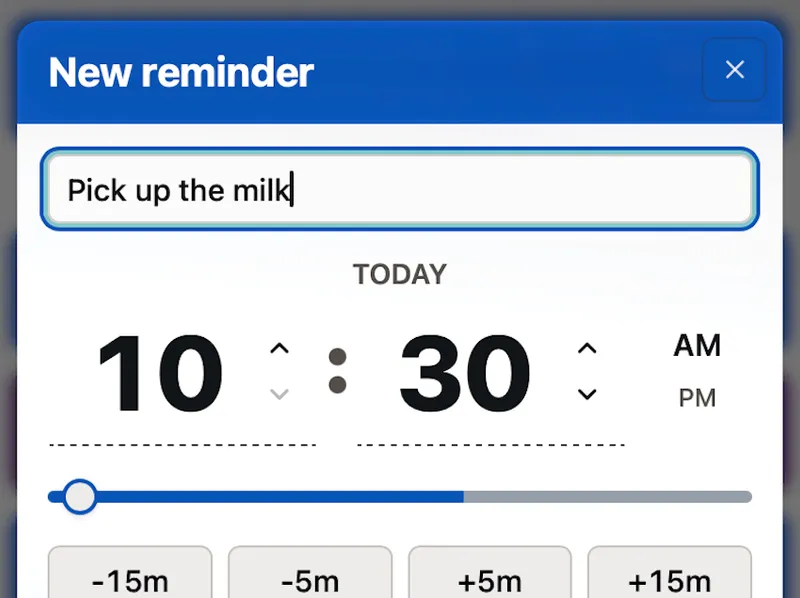
Connect Google or Outlook directly, or subscribe to any ICS feed, and meetings flow onto the board. Or type a one-off straight in when something pops up.